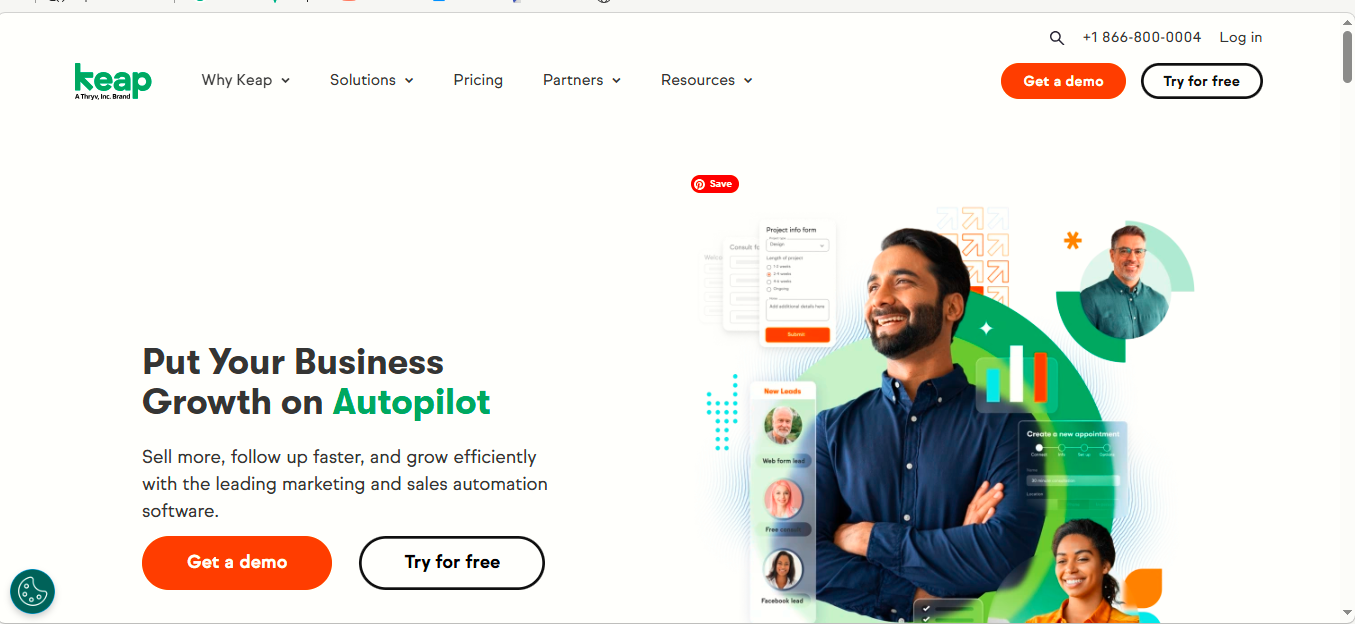
If you are looking for an all-in-one platform to manage customers, sales, marketing, and business automation, Keap Software Overview 2026 is worth exploring. Keap is a customer relationship management (CRM) and business automation platform designed primarily for small businesses, consultants, agencies, coaches, and service-based companies.
Keap combines CRM, sales pipeline management, email and text marketing, automation, appointments, invoicing, payments, landing pages, and reporting in one platform. This can help businesses reduce the number of separate tools they need to manage their daily operations.
What Is Keap Software?
Keap is a CRM and business automation software designed to help small businesses organize leads and customers while automating repetitive sales and marketing activities.
Instead of managing customer information in spreadsheets and using separate applications for email marketing, follow-ups, appointments, invoices, and payments, businesses can manage many of these activities from one system.
Keap has been serving small businesses for more than 20 years and provides tools for managing customer relationships, automating workflows, capturing leads, following up with prospects, and collecting payments.
Keap Software Overview 2026: Main Features
Keap offers a broad range of features. Here are some of the most important ones.
1. CRM and Contact Management
Keap’s CRM allows businesses to keep customer and prospect information organized in one place.
You can manage contact information, communication history, tasks, appointments, purchases, and other customer details. This gives businesses a clearer picture of where each customer is in the sales process.
For businesses that receive leads from websites, advertising campaigns, social media, or referrals, having all customer information in one system can make follow-up easier.
2. Marketing Automation
Marketing automation is one of Keap’s major strengths.
Businesses can create automated campaigns that send emails or text messages based on customer actions. For example, when someone fills out a form, Keap can automatically add the contact to the CRM and begin a follow-up sequence.
Automation can also be used for:
- Lead nurturing
- Welcome campaigns
- Appointment reminders
- Follow-up messages
- Promotional campaigns
- Invoice reminders
- Customer retention
- Re-engagement campaigns
Keap provides both simple and more advanced automation tools, allowing businesses to build workflows based on their specific processes.
3. Sales Pipeline
Keap includes a visual sales pipeline that helps businesses track prospects as they move through different stages of the sales process.
For example, a company could create stages such as:
New Lead → Contacted → Appointment → Proposal → Won
The drag-and-drop approach makes it easier to see which opportunities need attention.
Keap also supports multiple pipelines, custom stages, lead scoring, and sales analytics.
4. Email and Text Marketing
Keap allows businesses to communicate with leads and customers through email and text messaging.
Automated messages can be triggered by actions such as submitting a form, booking an appointment, purchasing a product, or reaching a particular stage in the sales process.
This can be useful for businesses that need consistent communication without manually contacting every customer.
Text marketing availability and features can depend on location and subscription configuration. Keap states that some business phone and text features are limited to certain countries, including the United States and Canada.
5. Landing Pages and Lead Capture
Keap provides tools for creating landing pages and forms that businesses can use to capture leads.
A typical process could look like this:
Advertisement → Landing Page → Lead Form → CRM → Automated Follow-Up → Appointment → Sale
This type of workflow can help businesses create a more organized lead-generation process.
6. Appointments and Scheduling
Keap can also help businesses manage appointments.
Potential customers can book meetings, while automated reminders and follow-up messages can help reduce missed appointments.
This feature can be particularly useful for consultants, coaches, agencies, professional service providers, and other businesses that rely on scheduled meetings.
7. Invoicing and Payments
Keap includes ecommerce, quoting, invoicing, and payment features.
Businesses can create quotes and invoices, accept payments, and set up recurring payments. Certain recurring payment, quote, and invoicing capabilities are available with Keap’s paid offerings.
Keap also offers Keap Pay, its embedded payment solution. Keap Pay provides payment tracking and financial reporting inside the Keap application.
For Keap Pay, the current published card processing fee is 2.99% + $0.30 per transaction. Availability and payment terms can vary by market.
8. Reporting and Analytics
Keap provides reporting tools that allow businesses to monitor sales and marketing performance.
Reports can help businesses understand areas such as:
- Sales conversions
- Form submissions
- Email performance
- Campaign results
- Revenue
- Orders
- Billing
- Lead activity
- Sales representative performance
This information can help business owners identify what is working and where improvements are needed.
9. Integrations
Keap can connect with other applications and services to extend its functionality.
Keap states that its platform can integrate with thousands of tools and apps, including integrations through Zapier.
This is useful for businesses that already use other software and don’t want to completely replace their existing technology stack.
Keap Pricing in 2026
One important point in this Keap Software Overview 2026 is that Keap’s pricing can vary according to the number of contacts, billing arrangement, users, promotions, and implementation requirements.
Keap’s official pricing page currently lists the platform starting at $299 per month, with annual billing shown as $2,988 per year. Keap has also moved toward providing its full software platform rather than simply separating plans by individual features.
Because Keap can change pricing and promotional offers, businesses should check the official pricing page before purchasing.
Additional Costs
The monthly subscription may not be the only cost to consider.
Depending on the business and setup, additional expenses can include:
- Extra users
- Text messaging usage
- Payment processing fees
- Implementation services
- Data migration
- Advanced onboarding or consulting
Keap currently lists optional professional services such as migration and automation assistance, with some services costing hundreds or thousands of dollars depending on the package.
Is There a Keap Free Trial?
Keap currently offers a 14-day free trial, and its official website states that no credit card is required to start the trial.
A free trial can be useful for testing the CRM, automation builder, sales pipeline, communication tools, and other features before committing to a paid subscription.
Pros and Cons of Keap
Pros
- All-in-one CRM and business automation platform
- Strong marketing and sales automation
- Customer and lead management
- Visual sales pipelines
- Email and text marketing
- Appointment scheduling
- Quotes and invoicing
- Online payment capabilities
- Landing pages and lead capture
- Reporting and analytics
- Integrations with other applications
- Automation templates and AI-powered tools
Cons
- Pricing can be expensive for very small businesses
- Additional users and services can increase the total cost
- Some features have geographic limitations
- The platform can take time to learn because it contains many features
- Businesses with very simple CRM requirements may not need such a comprehensive platform
Who Is Keap Best For?
Keap is particularly suitable for small businesses that need more than a basic contact database.
It can be a good option for:
- Consultants
- Coaches
- Marketing agencies
- Professional service businesses
- Startups
- Real estate businesses
- Health and wellness businesses
- Financial professionals
- Small ecommerce businesses
- Businesses with high-value leads
Keap is especially useful when a business wants to combine CRM, marketing automation, sales management, appointments, invoicing, and payments in one platform.
Who Should Consider Alternatives?
Keap may not be the best choice for everyone.
If you only need a simple CRM for storing names, email addresses, phone numbers, and notes, Keap may provide more functionality than you actually need.
It may also be less attractive for businesses with very large numbers of low-value contacts because pricing can increase as the contact database grows.
Before purchasing, compare Keap with alternatives based on your number of contacts, required automation, users, integrations, and monthly budget.
Keap Software Overview 2026: Is Keap Worth It?
Keap can be a powerful solution for small businesses that want to automate their sales and marketing processes.
Its biggest advantage is the combination of CRM and automation. Instead of using one tool for customer management, another for email marketing, another for appointments, and another for invoicing, businesses can manage many of these processes within a single platform.
However, Keap is not the cheapest CRM available. The platform makes more sense for businesses that can actually use its automation, sales, and business-management features.
If your business generates valuable leads and you want to automate follow-ups, appointments, sales pipelines, invoices, and customer communication, Keap may provide strong value.
Final Verdict
The Keap Software Overview 2026 shows that Keap is more than a traditional CRM. It is an all-in-one platform built around customer management, sales automation, marketing automation, payments, and business growth.
Its strongest features include CRM, automated follow-up, sales pipelines, email and text marketing, appointments, invoicing, payments, reporting, and integrations.
The main drawback is price. Starting at $299 per month on Keap’s current official pricing page, it is better suited to businesses that are ready to invest in automation rather than businesses looking for a basic low-cost CRM.
For a small business that wants to save time, improve lead follow-up, and bring several business processes into one system, Keap is a platform worth considering in 2026.